Upload two standard ShipStation exports and we'll generate an operational assessment of your fulfillment operation.
The analysis runs entirely inside your browser. Only the resulting operational findings are uploaded so your report can be shared later.
Your raw order history never leaves your computer.
Before you start
How to export these two files from ShipStation
The assessment needs two exports from your ShipStation account: one of your orders and one of your products. They come from two different screens, so each is set out below. Export both as CSV, then upload them here.
Analytics → Data Exports
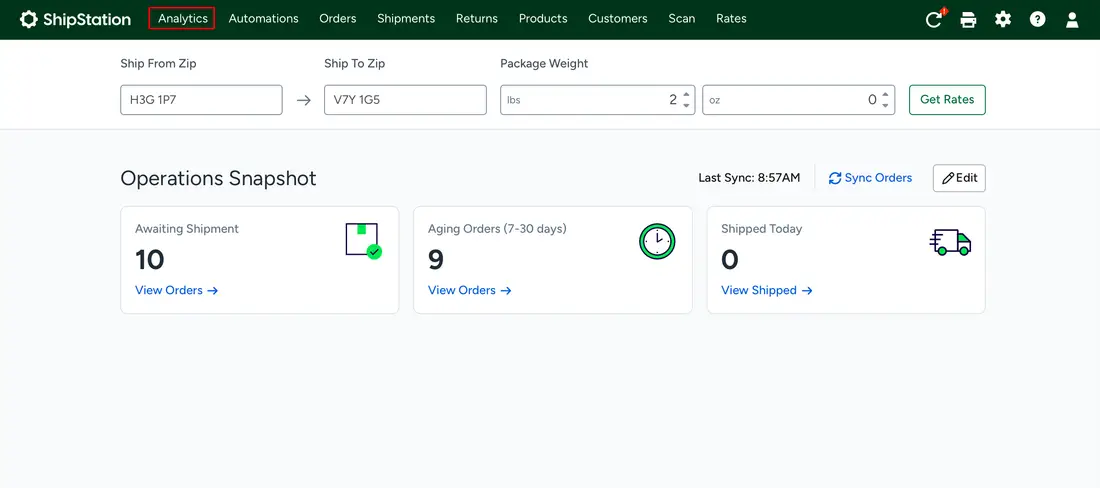
From the top navigation in ShipStation, click Analytics.
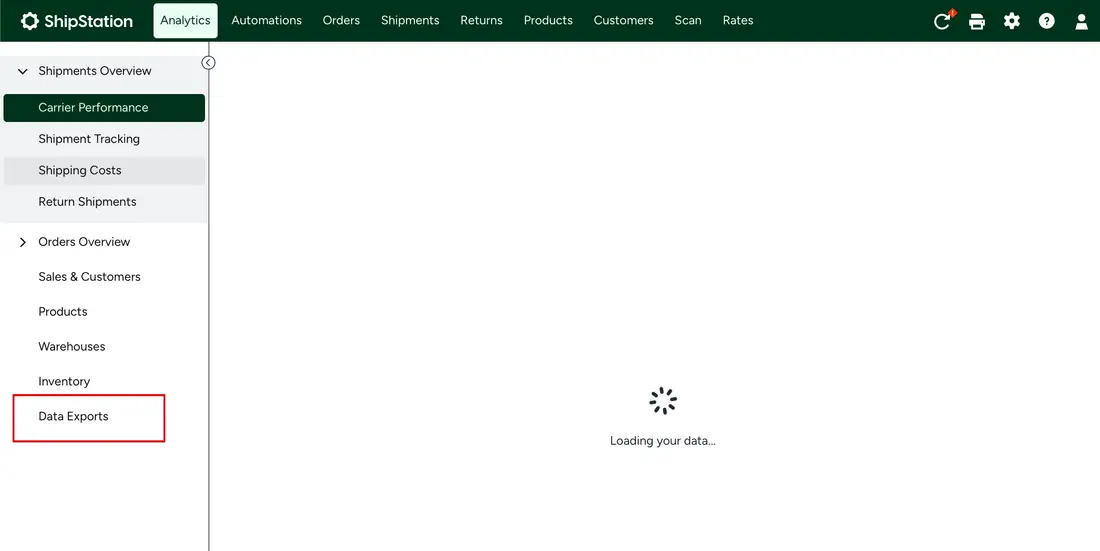
In the left sidebar, scroll to the bottom and click Data Exports.
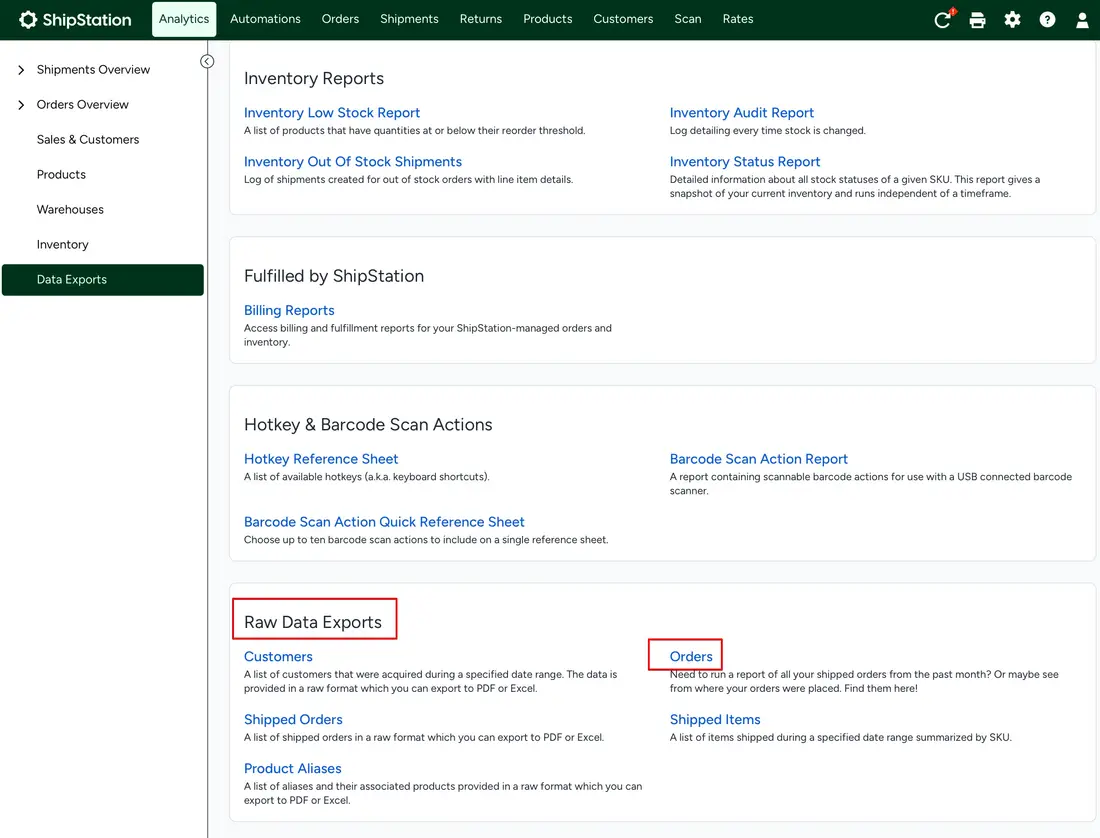
Scroll down to the Raw Data Exports section and click Orders — not Shipped Orders or Shipped Items.
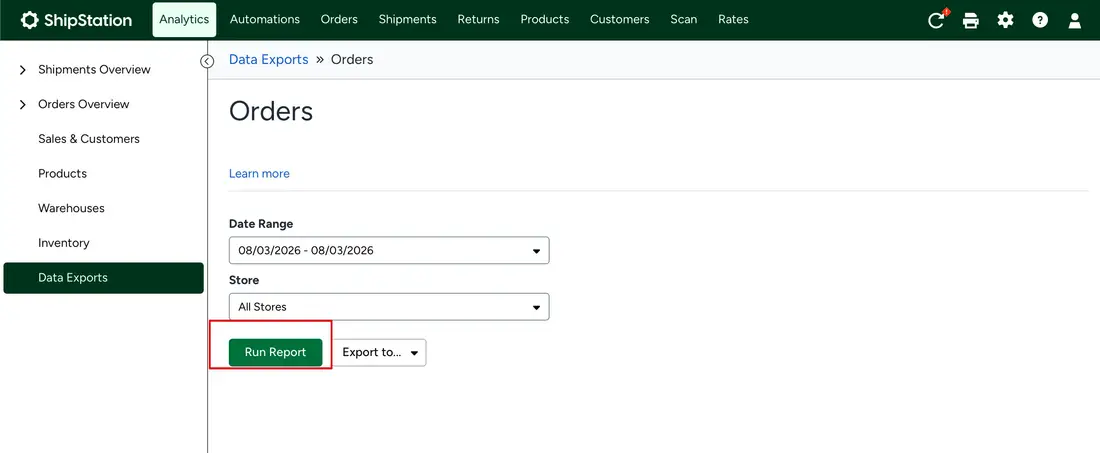
Set the date range to the last 3 months, leave Store on All Stores, and click Run Report. Then use Export to… and choose CSV.
Products
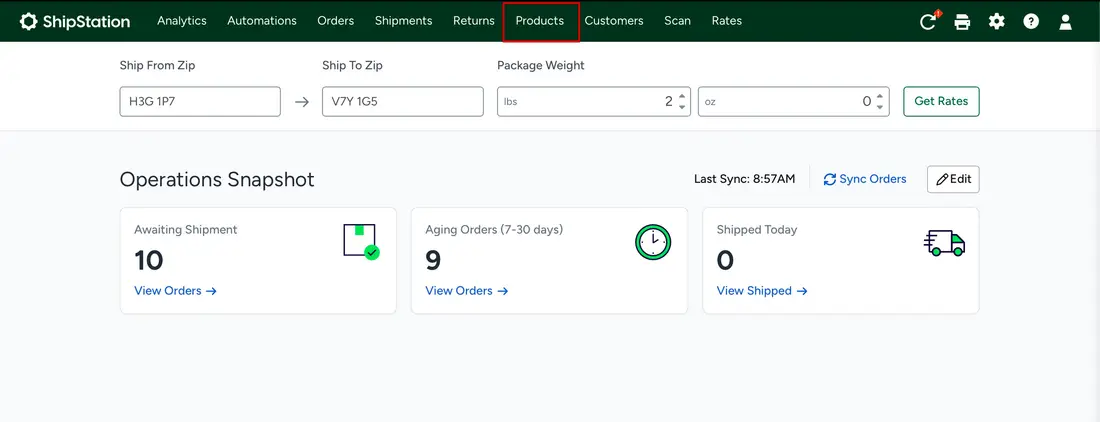
From the top navigation in ShipStation, click Products.
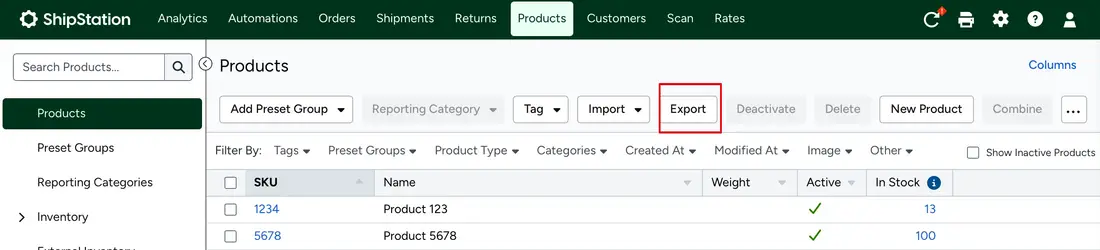
Above the product list, click Export. Leave the list unfiltered so every product is included.
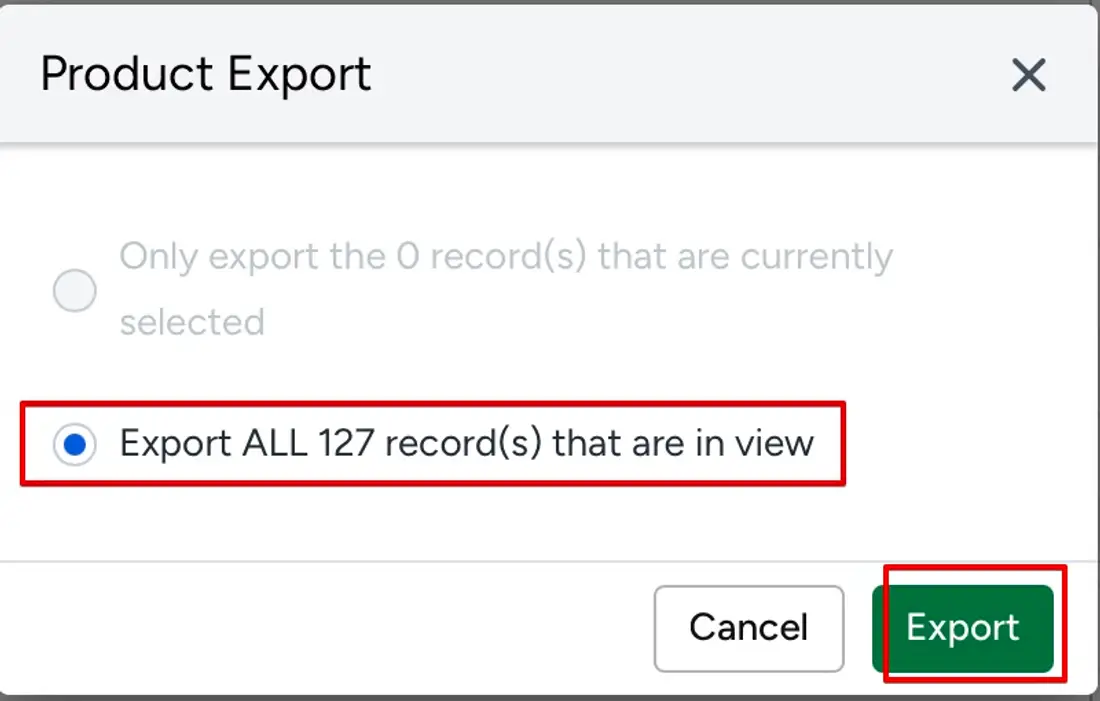
In the dialog, select Export ALL records that are in view, then click Export.
Both exports are read in your browser. Neither file is uploaded.
Nothing is uploaded until you generate — and even then, only the findings.
This runs in your browser. Your raw exports are never uploaded — only the findings.
